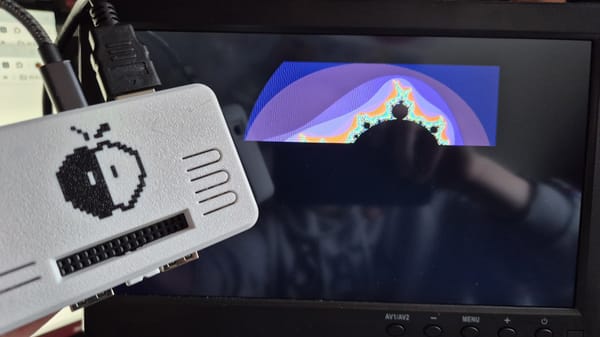
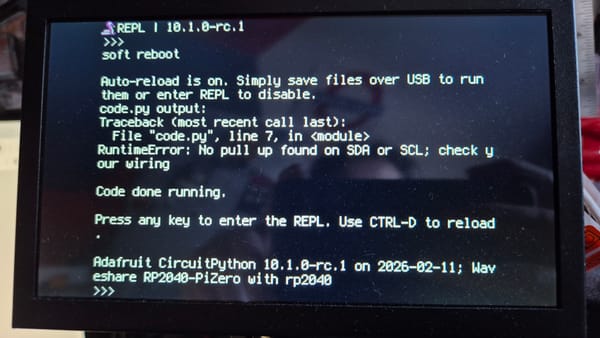
A wild MANDELBROT appeared!
A missive documenting Steve's continued CircuitPython/DVI experiments.

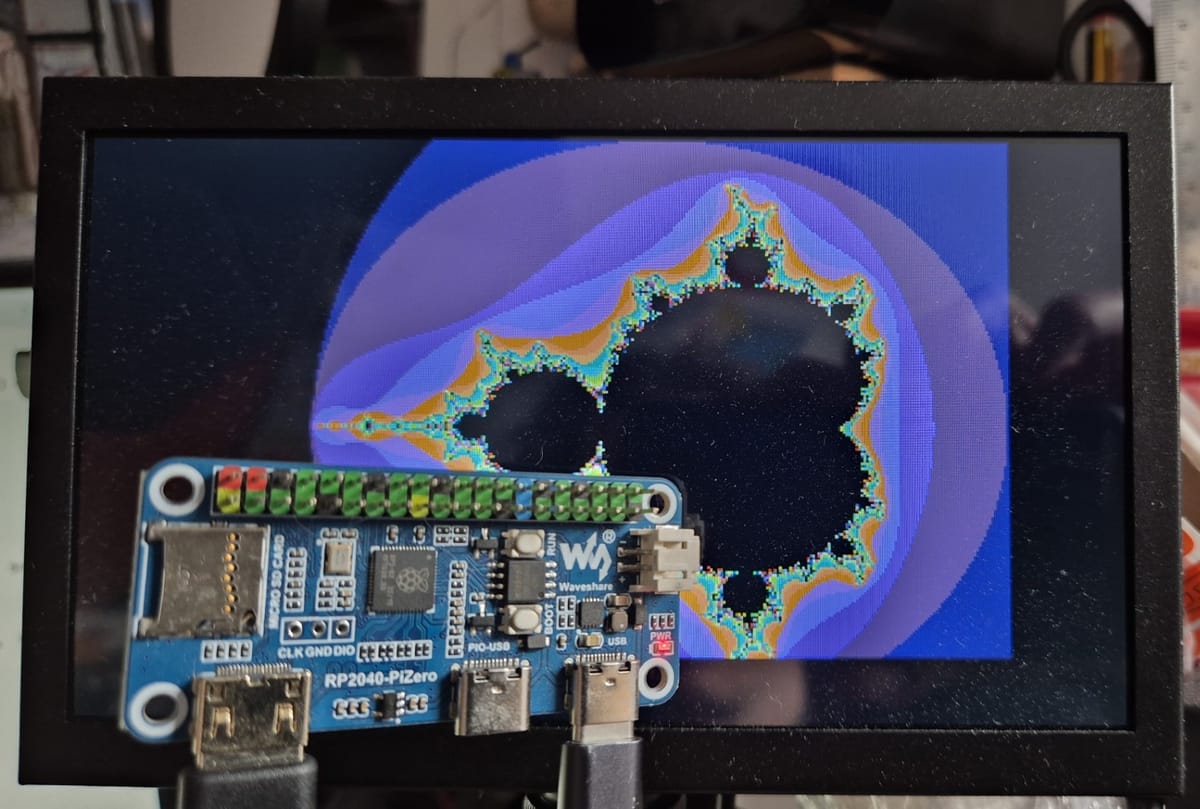
In the last post I'd managed to get the CircuitPython REPL displayed on my tiny monitor, and I'd left it there. Time to make this little board do something interesting with its new-found capabilities. By 'interesting' I mean 'interesting maybe 35 years ago', because I thought I'd get a Mandelbrot set rendered by it.
As the photo shows, success was successfully achieved. Entertainingly the board will run off the power supplied over the HDMI cable as well - quite freaked me out when I was putting things away!
A word about ChatGPT
I use ChatGPT for chores, like creating the palette for this, and to help me understand what I'm doing when I'm coding something unfamiliar. I could find a piece of raw code for generating the Mandelbrot set online, and not have the first clue about what all the moving parts do, or I could get it explained enough in annotations to grasp what's going on. The latter is what I prefer, and now I finally know why the black bits have always been much slower to render.
I understand why people get anxious about AI usage. I use it to help me do things I could research or do myself if I had the time/energy, and nothing else. If I don't understand what it comes up with I make it explain with examples, and never assume that it's done something perfectly. It's my assistant, my wingman, and I think that's acceptable.
But anyway
Here's the code. The Mandelbrot rendering is 90% AI generated, and my A-Level Maths helped with the rest. Complex numbers are fun!
import board
import picodvi
import framebufferio
import displayio

displayio.release_displays()

WIDTH = 320
HEIGHT = 240
MAX_ITER = 80

fb = picodvi.Framebuffer(
  width=WIDTH,
  height=HEIGHT,
  clk_dp=board.CKP,
  clk_dn=board.CKN,
  red_dp=board.D0P,
  red_dn=board.D0N,
  green_dp=board.D1P,
  green_dn=board.D1N,
  blue_dp=board.D2P,
  blue_dn=board.D2N,
  color_depth=8)
display = framebufferio.FramebufferDisplay(fb)

canvas = displayio.Bitmap(WIDTH, HEIGHT, 256)

# Create our palette
palette = displayio.Palette(256)
palette[0] = 0x000000

# Simple smooth-ish RGB gradient for escape colors (thanks ChatGPT)
for i in range(1, 256):
    r = (i * 9) & 0xFF
    g = (i * 5) & 0xFF
    b = (i * 13) & 0xFF
    palette[i] = (r << 16) | (g << 8) | b

# put the canvas in its frame
tile = displayio.TileGrid(canvas, pixel_shader=palette)

# find the gallery wall, and hang it up
group = displayio.Group()
group.append(tile)

# put the spotlight on the wall, not on the REPL
display.root_group = group

# Mandelbrot rendering:
# We map each screen pixel to a point c = cx + i*cy in the complex plane,
# then iterate z(n+1) = z(n)^2 + c from z0 = 0.
# Points that never "escape" (grow beyond radius 2) within MAX_ITER are
# considered inside the set and drawn black.

# Standard view window for the classic Mandelbrot set.
x_min = -2.5
x_max = 1.0
x_span = x_max - x_min
y_span = x_span * HEIGHT / WIDTH # Match Y span to display aspect ratio.
y_min = -y_span * 0.5

for py in range(HEIGHT):
    # Convert pixel row -> imaginary coordinate (cy).
    cy = y_min + (py / (HEIGHT - 1)) * y_span
    for px in range(WIDTH):
        # Convert pixel column -> real coordinate (cx).
        cx = x_min + (px / (WIDTH - 1)) * x_span

        # z starts at 0 for each candidate point c.
        x = 0.0
        y = 0.0
        iteration = 0

        # Escape-time algorithm:
        # - x*x + y*y is |z|^2
        # - if |z|^2 > 4 (|z| > 2), the point is guaranteed to diverge
        # - otherwise keep iterating until MAX_ITER
        while (x * x + y * y) <= 4.0 and iteration < MAX_ITER:
            # Expand z^2 = (x + iy)^2 = (x^2 - y^2) + i(2xy)
            x2 = x * x - y * y + cx
            y = 2.0 * x * y + cy
            x = x2
            iteration += 1

        if iteration == MAX_ITER:
            # Didn't escape: treat as inside the Mandelbrot set.
            canvas[px, py] = 0
        else:
            # Escaped: map iteration count to a palette index for colouring.
            canvas[px, py] = (iteration * 255) // MAX_ITER

while True:
  pass